five steps on your phone
How to make a family photo with FamFrame
FamFrame is a short mobile flow, not a desk you have to learn. You upload photos you already have, confirm the faces it grouped, add a few facts a photograph cannot carry, pick one photo shoot, and get one family photo. Almost everyone does this on a phone and wants it finished quickly. There is no separate sign-up form waiting at the front: you create an account when you tap Create frame, with a 6-digit code sent to your email. The portrait is AI-created from your pictures. This page is only the path, so you can see the order before you start.
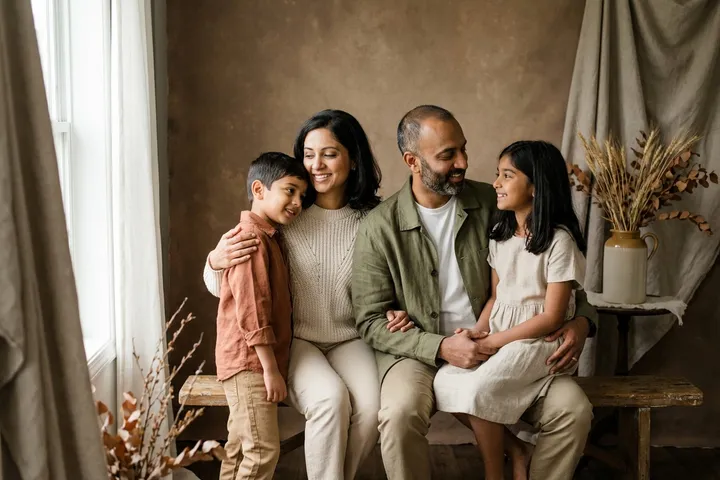
Examples on this page were made for FamFrame. The families are made up.
How FamFrame makes a family photo
- Upload photos. Add the pictures you already have. Photos of one person work best. A group photo is fine when the faces you need are clear. They can be from different places and years.
- Confirm who is who. Faces are matched automatically. You say which face belongs to which person, and you can fix a group that combined two people or split one person in two.
- Add a few details photos cannot show. You set an age group, and height where it matters, so children and adults stay in proportion. A short note about someone’s look is optional.
- Pick one of the photo shoots. The screen is called Pick your photo shoot. There are 13 styled sets, each with its own light, props and wardrobe. You are not choosing a filter name.
- Get your photo. Tap Create frame. If you are new, that is when the 6-digit email code arrives. The free frames are watermarked previews you can judge before you keep one.
What you are not doing
You are not drawing a tree, booking a studio, or writing a paragraph about the scene you hope to see. The shoots are already designed. Christmas at home, Hanukkah at home, a wildflower meadow, an old library: you pick one by name in the app.
You are also not signing in before you have photos. The account step sits on the Create frame button, because that is the moment a frame actually starts.
If the photos were never taken together
That is the ordinary case, and it has its own page: a family portrait from separate photos. The steps on this page are the same. The difference is only that you may be collecting pictures from several households first.
Including someone who has died uses the same upload. Read family frame for how to think about that portrait before you make it.
After the photo appears
Look at every face. If one person is off, replace that photo and try again rather than hoping a second run of the same picture will change it. Watermarked frames are for that check.
When you want a full-size frame with no watermark, the prices are on pricing. Then you can print it yourself. FamFrame does not sell paper.
Questions
Do I make an account before I upload?
No. You sign up only when you tap Create frame, with a 6-digit code sent to your email. There is no password to invent first.
Can I make a family photo from separate photos?
Yes. Each person can start from their own photo, taken in a different place or even a different year. You do not need a picture where everyone is already standing together.
How many photo shoots are there?
There are 13. Each one is a complete set, with light, props, palette and clothes, and you pick it on a single screen.
Can I try it for free?
Yes. New users get 3 free frames with a watermark, and no credit card is needed. You sign up only when you tap Create frame, with a 6-digit code sent to your email.
Can I include someone who passed away?
Yes, when you have a photo of them. The result is an AI-created image, not a photograph from a day you spent together, so it helps to talk it through with the family first.
Ready when you are. The photos you already have are enough.
Create frame