a tribute, decided together
Add a deceased loved one to a family photo
Some families want one picture that includes a person who is gone: a parent who never met the baby, a grandparent the children only know from stories, a partner missing from every photo taken since. FamFrame can place them in a new family photo if you have a photograph of them. The result is an AI-created image. It is not a recovered day, and it should not be told as one. Talk it through with the people who loved them before you make it, and again before you print it or send it. This page is about adding that person into a group portrait from separate photos. A quieter keepsake of them with the family is a different page, linked below. There is no halo, no wings, and no soft-focus heaven.
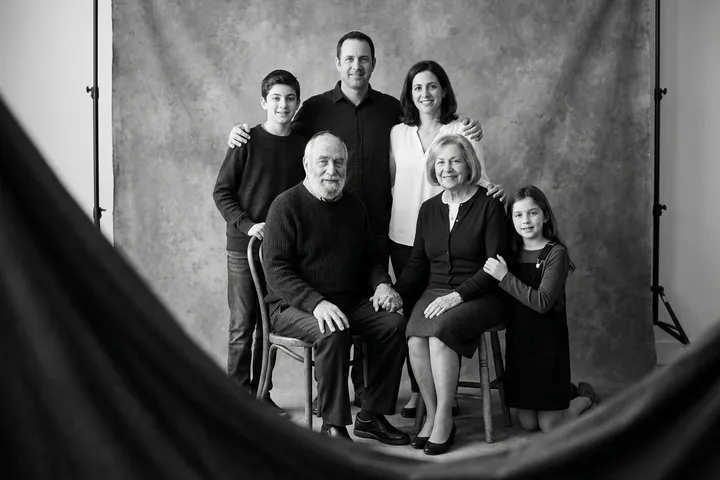
Examples on this page were made for FamFrame. The families are made up.
Add someone who has died to a new family photo
- Decide with the family first. Ask the people closest to them whether a new portrait is welcome. A surprise image can hurt, even when it was made with love.
- Choose a clear photograph of the person. A sharp, front-facing picture works better than a tiny face in a crowd. An older print can be scanned if the face is still readable. This is the likeness the portrait will follow.
- Add photos of everyone else. The living family can come from separate pictures, taken years later. You confirm who is who, including the person who is no longer here.
- Pick a plain photo shoot and look hard at the result. Heritage black and white, window light, or the old library keep the picture calm. If a face is wrong, change that photo and try again. Share it only if it still feels right.
What this picture is
It is a new group portrait. The people were not in the same room. The tool builds one frame from the photos you supply, in a shoot you pick. You can say, in plain words, that you made it so everyone could be in one picture. That sentence is part of the kindness.
The wider idea of a kept family picture, including people who were simply far away, is the family frame. If you want the portrait to be about the person you miss, more than about a new group lineup, use a memorial family portrait.
What to avoid
Do not ask the picture to pretend a funeral, a hospital, or a religious vision. The shoots are ordinary rooms and landscapes. Pick one of those. Do not tell children it is a photograph from a day that did not happen.
If you only have a poor crop, wait. A weak reference makes a weak likeness, and this is the portrait you will look at for a long time. Separate photos explains what a usable picture looks like.
Questions
Can I include someone who passed away?
Yes, when you have a photo of them. The result is an AI-created image, not a photograph from a day you spent together, so it helps to talk it through with the family first.
Will it look like a real afternoon we spent together?
No. It is an AI-created portrait from the photographs you upload. Treat it as a tribute you chose to make, and say so when you share it.
Should I surprise the rest of the family with it?
No. Talk first, especially with anyone who is grieving. Show them the watermarked preview before you print or post it.
Can I make a family photo from separate photos?
Yes. Each person can start from their own photo, taken in a different place or even a different year. You do not need a picture where everyone is already standing together.
Do I have to pay before I see a photo?
No. A new account includes 3 free frames, each with a watermark, and you are not asked for a card. Sign-up waits until you tap Create frame, and then it is a 6-digit code by email.
Is it private?
Your photos stay private. Use pictures you have the right to use, especially of children, and the privacy policy explains how long files are kept.
Ready when you are. The photos you already have are enough.
Create frame