built for several real people
An AI family photo generator for pictures you already have
An AI family photo generator is only useful if it can hold more than one real person. FamFrame takes the photos you upload, matches the faces, and makes one studio-quality family photo in a photo shoot you pick from the list. It is not a general chatbot with a family prompt pasted in, and it is not a collage. Likeness is the work: several people, often photographed apart, brought into one frame that is meant to be looked at up close and, if you keep it, printed. Your photos stay in your account. You can start with watermarked frames before you decide the portrait is worth keeping.
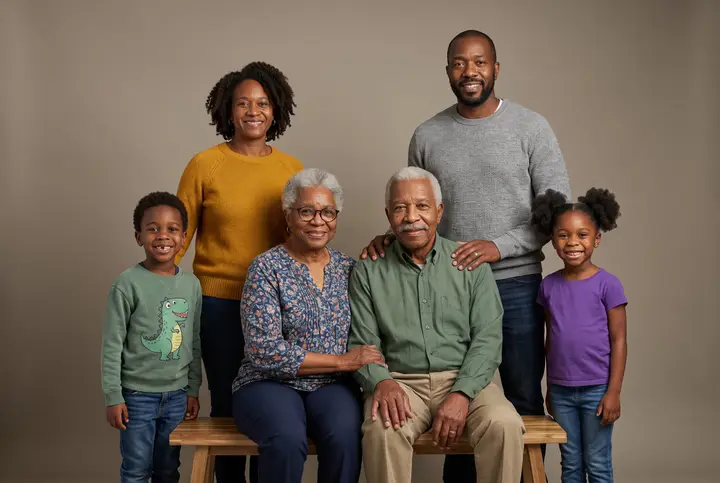
Examples on this page were made for FamFrame. The families are made up.
Use the FamFrame generator
- Upload photos of the people in the portrait. Separate photos are the normal case. Group photos are fine when each face you need is already clear.
- Check the face groups. The generator groups faces on its own. You confirm or fix who is who before anything is made.
- Tell it what the photos leave out. Age, and height for adults, keep the family in proportion. A baby photo and a grandparent’s photo need that context.
- Choose one of the photo shoots. There are 13 shoots, each with its own light, set and wardrobe. One tap creates the frame.
What this generator is for
Use it when you want one photograph of your family and you already have pictures of the people, just not the same picture. The walkthrough of that case is a portrait from separate photos. This page is the product behind it: a generator that only makes family photos.
If you want the steps in order, with nothing else, read how it works. If you want to sit down and make one now, start at make a family photo with AI.
Why a specialist tool, not a general chatbot
A chatbot will draw a pleasant group if you describe one. It does not know your brother’s face, and it will invent a cousin if the prompt is vague. FamFrame does not take a written description of people. It takes photographs, matches faces, and builds one frame around those faces.
The photo shoots are planned sets, not style keywords. Window light, a Sunday table, a glasshouse, Christmas at home, Hanukkah at home: you pick the set, and the light and clothes come with it. There is a single quality, so you are not choosing a tier.
Privacy and a free start
Photos you upload are for making your frames. They are not a public gallery. Use pictures you have the right to use, and read the privacy policy for how long files are kept, especially if children are in the photos.
You can try it with 3 free frames with a watermark. The prices for a clean, full-size frame are on the pricing page, and only there besides the short answer below.
Questions
What is FamFrame?
FamFrame is an AI family photo tool. You add photos of the people you love, say who is who, pick one of 13 styled photo shoots, and get one studio-quality family photo, without hiring a photographer.
Does FamFrame work from a text description of my family?
No. The generator needs photos of the people. You confirm who is who, then pick a photo shoot. There is no box where you describe someone’s face in words.
Can I make a family photo from separate photos?
Yes. Each person can start from their own photo, taken in a different place or even a different year. You do not need a picture where everyone is already standing together.
Do I have to pay before I see a photo?
No. A new account includes 3 free frames, each with a watermark, and you are not asked for a card. Sign-up waits until you tap Create frame, and then it is a 6-digit code by email.
How much does it cost?
$4.99 keeps one frame at full size with no watermark, and $19.99 covers 10 frames and removes the watermark from all of them. There is no subscription.
Is it private?
Your photos stay private. Use pictures you have the right to use, especially of children, and the privacy policy explains how long files are kept.
Ready when you are. The photos you already have are enough.
Create frame