the photograph, not the card layout
An AI Christmas card photo from the pictures you already have
A Christmas card needs a photograph more often than it needs another design app. FamFrame makes that photograph from pictures you already have, including people who will not be in the same house this December. You pick a scene that can sit on a card, save the photo, and add your greeting in a template you already know how to use. FamFrame does not design the card, fold it, or print a greeting. The picture is the part that was hard: everyone in one frame, looking like themselves, finished on your phone in minutes. The page about the living-room shoot itself is the Christmas family photo. This one is about getting that picture onto a card.
Examples on this page were made for FamFrame. The families are made up.
Put a FamFrame photo on a Christmas card
- Pick a scene that still looks like a card in January. Christmas at home (tree, fireplace, gifts), Winter pines (snow and lanterns), or Heritage black and white. One scene per photo.
- Make the photo from separate pictures. Upload each person, confirm the faces, and create the frame. The app makes a horizontal photo, which is the shape most cards expect.
- Write the greeting somewhere else. Put the photo into a card template in a tool you already have, such as a slides app, a notes layout, or the card maker at a pharmacy. Add the greeting there. FamFrame will not set type on the picture.
- Print a sample before you order a set. Try one copy at 4×6 or 5×7 inches. If you need a square card, crop the photo in that same tool. Keep the file only when the faces look right.
Three scenes that work on a card
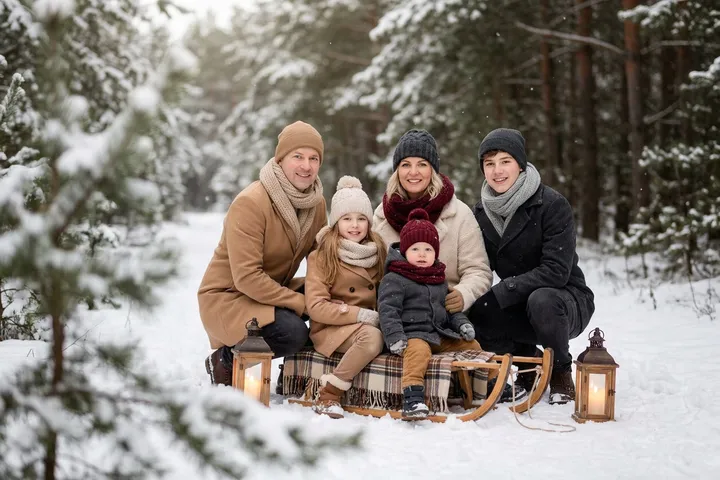
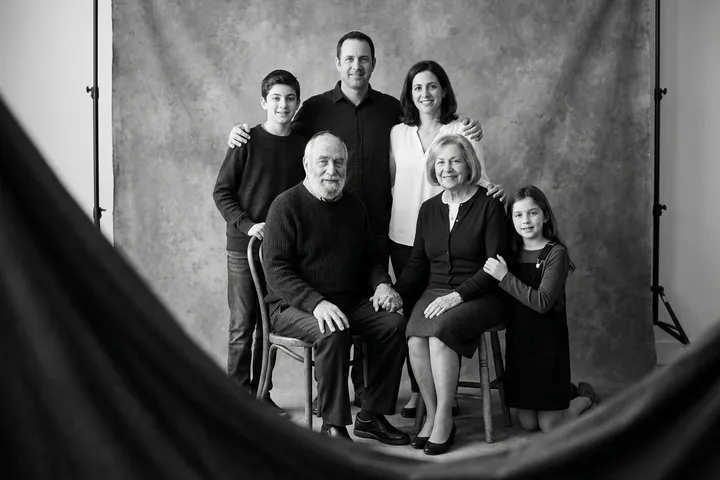
Christmas at home is the obvious one: lights, a fireplace, gifts, knitwear, no Santa hats. It is a real shoot, and the Christmas family photo page shows it. Winter pines is the outdoor card, snow and lanterns, and it is the picture at the top of this page. Heritage black and white is the one to choose when you want a portrait that does not announce the holiday in the background, with the greeting doing that work instead.
Do not expect a designed card. There is no border, no inside right-hand panel, and no ‘with love from’ set in type. Those belong to the template you drop the photo into.
Shape and print size
The phone flow makes a horizontal photo. That suits a landscape card and a standard 6×4 inch print. A 5×7 card is a different proportion, so crop in the template rather than stretching the picture. Start with one test print. FamFrame does not publish a partner lab, and it does not ship paper.
Greeting lines are yours. A plain line is enough: the names, the year, and where you are. If the photo includes someone who was not in the room, a short honest note on the back of the card is kinder than letting people assume it was a sitting.
Who is in the card photo
Build it from separate photos when the family will not be together for a camera. The longer version of that workflow is a portrait from separate photos. Someone who has died can be included from an existing picture; decide that with the family, using the family frame page as the guide.
You can try the photo with 3 free frames with a watermark before you order cards. The clean file, if you want one for the printer, is priced on pricing.
Questions
Does FamFrame design the Christmas card?
No. FamFrame makes the photograph. You place that photo into a card template in a tool you already use, and you write the greeting there.
Which scene should I pick for a card?
Christmas at home if you want the tree and the fireplace, Winter pines if you want snow, and Heritage black and white if you want a quiet portrait with the greeting carrying the holiday.
What size should I print?
The photo is horizontal. A 6×4 inch print matches that shape. For a 5×7 or a square card, crop in your template and print one sample before you order a set.
Do I have to pay before I see a photo?
No. A new account includes 3 free frames, each with a watermark, and you are not asked for a card. Sign-up waits until you tap Create frame, and then it is a 6-digit code by email.
Can I put people who live apart on the same card?
Yes. Each person sends a photo. The card photo is an AI-created portrait of them together, which is worth one plain sentence if you write a note on the card.
Ready when you are. The photos you already have are enough.
Create frame