a field note
What to know before you make a family photo with AI
2026-11-15
The page called make a family photo with AI is the practical one: steps, photos, the free start. This note is the decision in front of that page. What job are you actually doing? A portrait for a wall, a picture for someone who could not be in the room, a card. And why would you use a tool built only for family photos instead of asking a general chatbot to draw a pleasant group? The short answer is likeness, several real people, and a file you might print. The longer answer is below. The headline here is deliberately not the same sentence as the product page, because the two should not compete for the same search.
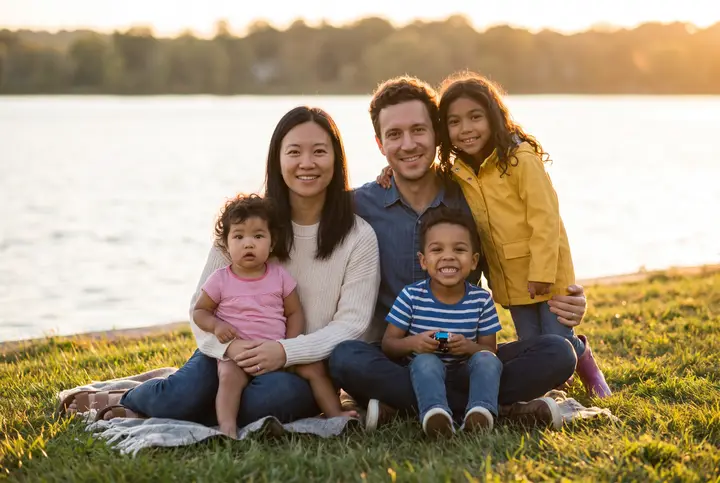
Examples on this page were made for FamFrame. The families are made up.
The job, named plainly
Most people who end up here do not want an AI demo. They want a family photograph that does not exist yet. The studio was too far, the date never landed, or the person they need is only in an older picture. The job is one portrait, finished on a phone, from photos already taken.
If that is not the job, a chatbot doodle is fine and this product is the wrong tool. FamFrame will not illustrate a story. It makes a photograph of the people whose photos you upload.
A specialist tool, not a general chatbot
A general chatbot will invent a family if you describe one. It has not seen your sister’s face, and it will smooth everyone toward a stock photo if you let it. FamFrame does not take a written description of people. It takes photographs, matches the faces, asks for age and height where a picture is ambiguous, and builds one frame in a shoot you pick from a list.
That is also why there is a single quality and a short list of shoots, instead of a box where you type a look. The list is on photo shoots. The generator, as a product, is the AI family photo generator.
Children’s photos
Upload pictures of children only if you have the right to use them. A parent’s judgment is the start, not a checkbox that replaces it. The photos stay in your account. They are not a public gallery. The privacy policy is where retention is spelled out, and it is worth reading before you upload a minor.
Show the preview to another adult in the family before you print a child’s portrait for a wide group. The same rule is stricter, not looser, if the portrait includes someone who has died. Family frame covers that case.
Then make the photo
When the decision is made, the product page is the one with the steps and the button. This note stays here as the reasoning. You can start with free watermarked frames and stop if the faces are wrong.
There is no subscription hiding behind the try. If you later want a full-size frame without the watermark, pricing is the only page that needs to quote the numbers.
Questions
Is this the same page as “Make a family photo with AI”?
No. That page is the product: how to make one now. This note is what to decide first, including why not to use a general chatbot.
Why not describe my family in a chatbot?
A chatbot draws from a description. FamFrame uses the photographs you upload, matches faces, and makes one studio-quality frame. Several real people are the point.
Is it private?
Your photos stay private. Use pictures you have the right to use, especially of children, and the privacy policy explains how long files are kept.
Do I have to pay before I see a photo?
No. A new account includes 3 free frames, each with a watermark, and you are not asked for a card. Sign-up waits until you tap Create frame, and then it is a 6-digit code by email.
Ready when you are. The photos you already have are enough.
Create frame