a field note
How to make a Christmas card when you were never all in the room
2026-11-17
The Christmas card fails in the same house every year, and it is rarely the printer’s fault. Someone is in another city. The baby will not look up. The only picture of a grandparent is from a different December. This note is about making the photograph for that card from the pictures you already have, then putting it into a card you lay out yourself. It is not the product page. The Christmas family photo explains the living-room shoot, and the card photo page explains shape and print size. Here the job is the sequence: collect, choose, check, then write the greeting somewhere that is not FamFrame.
The separate photos



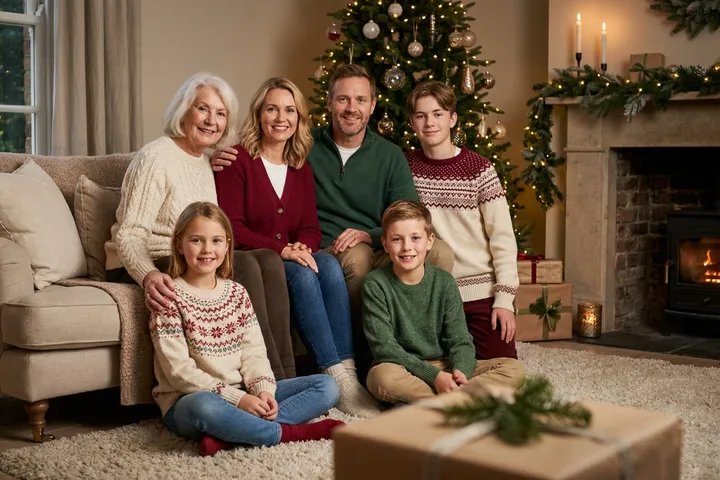
Examples on this page were made for FamFrame. The families are made up.
Make a Christmas card photo from separate pictures
- Ask for one usable photo each, early. A front-facing picture in ordinary light. Say you will show a preview before anything is printed. Do this before the week the cards should leave the house.
- Pick one scene and make one photo. Christmas at home for the tree and the fireplace, Winter pines for snow, heritage black and white if the portrait should be quiet. One scene per picture.
- Check faces on the preview. The free frames are watermarked on purpose. If one person is off, replace that photo. Do not order a stack first.
- Write the card in another tool. Drop the horizontal photo into a template you already use. Add names and the year there. FamFrame does not set type, borders, or a folded layout.
The photograph and the card are different jobs
FamFrame’s job ends at the picture. A card is paper, type, and a greeting. Mixing those jobs is how people end up promising a design the product does not make. Keep them apart and both get easier.
The indoor scene is a lit tree, a fireplace, gifts, and knitwear. No Santa hats. If that room is wrong for your card, the snowy shoot is Winter pines, linked from its own page.
People who are not at the table
A card that includes someone who could not fly home is often the whole point. Say so, in a line on the back, if the picture will confuse anyone. The portrait is AI-created from separate photos. That is a fact, not an apology.
Including someone who has died is a family decision, not a default. Family frame is the careful page. A card is a wide audience. Be slower there than you would be with a single print.
A small print before a large order
The photo is horizontal. A 6×4 inch test is the honest check. Crop for a square card in the template, not by stretching. FamFrame does not run a print shop, so the kiosk or the home printer is yours.
You can try the photo before you pay for a clean file. Prices, if you want them, are on pricing, not in this note.
Questions
Does this post replace the Christmas pages?
No. Those pages are the product. This one is the order of operations for a card, and it links to them.
Can I make a family photo from separate photos?
Yes. Each person can start from their own photo, taken in a different place or even a different year. You do not need a picture where everyone is already standing together.
Do I have to pay before I see a photo?
No. A new account includes 3 free frames, each with a watermark, and you are not asked for a card. Sign-up waits until you tap Create frame, and then it is a 6-digit code by email.
Can I put the greeting on the photo inside FamFrame?
No. Write it in the card template you already use. The file you get is the photograph.
Ready when you are. The photos you already have are enough.
Create frame